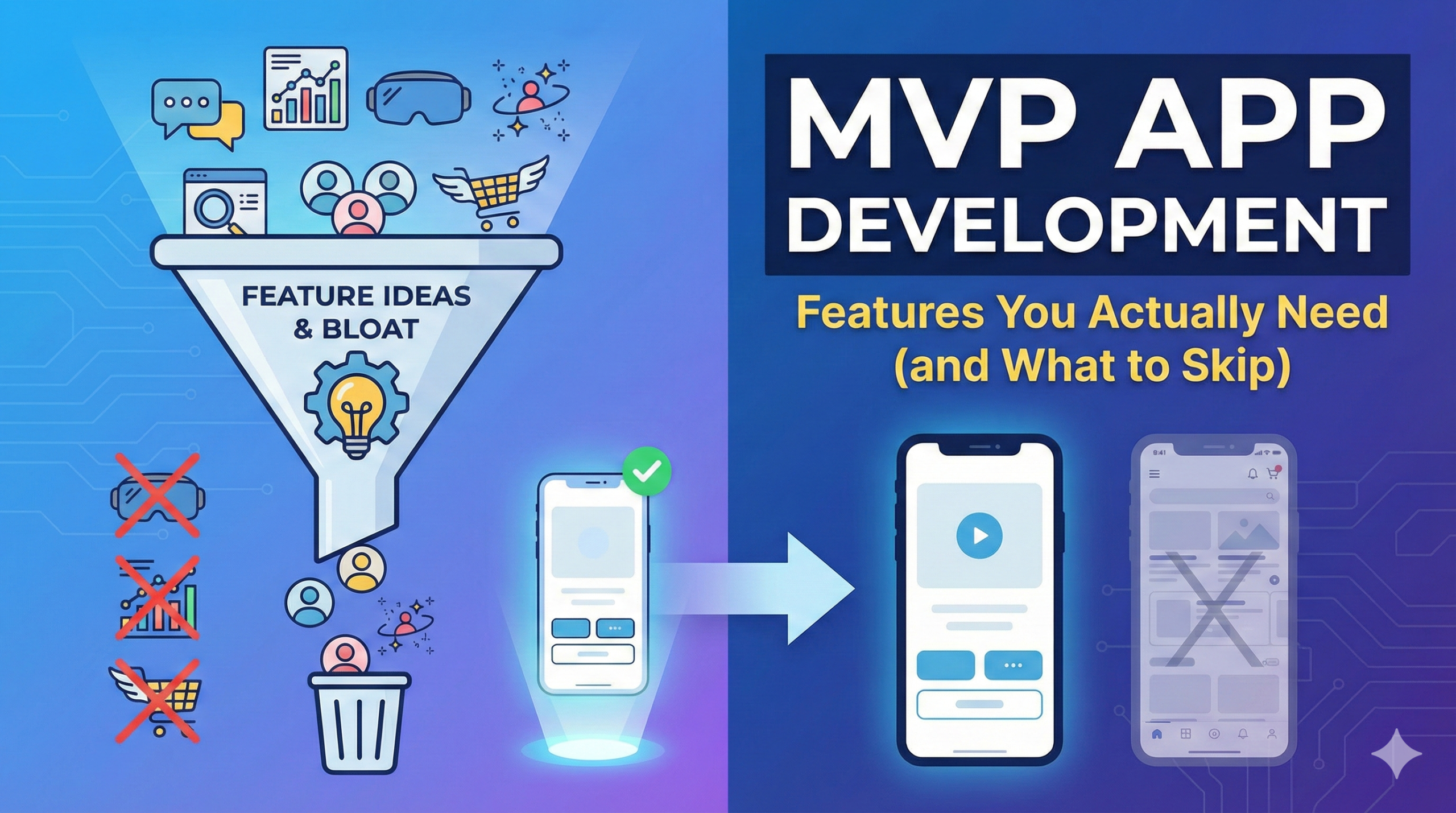
MVP App Development: Features You Actually Need (and What to Skip)

Building an MVP is one of the smartest ways for startups to validate an idea without wasting time or money. Yet, many founders make the same mistake: they overbuild their MVP.

In this guide, we’ll break down what features your MVP app actually needs, what you should skip, and how to build a lean, production-ready MVP that attracts users, investors, and early traction.

👉 If you’re planning MVP app development and want expert guidance from day one,
you can talk to our team at Nerdware Labs for a free consultation.

What Is an MVP App (And What It Is Not)

An MVP (Minimum Viable Product) is the simplest version of your app that delivers real value to users and allows you to validate your idea in the market.

An MVP is:

  • A working product
  • Focused on one core problem
  • Built for real users
  • Designed for learning and iteration

An MVP is not:

  • A demo or mockup
  • A half-baked prototype
  • A feature-heavy product
  • A long-term final solution

💡 Many founders confuse MVPs with full apps. If cost is your concern, read
How Much Does It Cost to Build a Mobile App?

Why Feature Selection Matters in MVP Development

Every extra feature:

  • Increases development cost
  • Delays launch
  • Adds complexity
  • Creates technical debt
  • Reduces clarity for users

Startups that win focus on the smallest feature set that solves a painful problem well.

👉 Not sure which features are essential for your MVP?
Our mobile app development team help founders define a clear MVP scope before writing a single line of code.

Core MVP App Features You Actually Need

1. Core User Flow (Non-Negotiable)

Your MVP must support one clear user journey from start to finish.

Ask:

  • What is the one thing users come here to do?
  • Can they do it in under 3–5 steps?

If your app doesn’t nail the core flow, no amount of features will save it.

👉 We help startups design MVP user flows that are simple, fast, and conversion-focused.


2. Simple User Authentication

Most MVP apps need basic authentication:

  • Email + password
  • Phone login
  • Magic link login

Avoid complex enterprise-grade access control early.
Simple, secure, and reliable wins for MVPs.


3. Clean, Usable UI (Not Fancy Design)

Good MVP UI is about clarity, not decoration.

Focus on:

  • Easy navigation
  • Clear actions
  • Simple layouts

Skip heavy animations, visual effects, and custom artwork.

👉 If you’re deciding between platforms, read
iOS vs Android Development: Which Is Better?.


4. Backend & Database (Built to Scale)

Even MVPs need a proper backend foundation:

  • Secure APIs
  • Scalable database
  • Clean architecture

Cutting corners here leads to expensive rewrites later.

👉 Our backend-first approach is explained in
Software Development & Custom Cloud Solutions


5. Basic Admin Panel

A lightweight admin panel helps you:

  • Manage users
  • Edit content
  • Handle early support issues

You don’t need analytics dashboards or complex permissions yet.


6. Basic Analytics & Feedback

To learn fast, track only what matters:

  • Signups
  • Core actions
  • Drop-offs
  • User feedback

👉 MVP analytics are part of every project we deliver under
our mobile app development services.

MVP App Features You Should Skip (At Least Initially)

This is where most startups burn money.

❌ Advanced personalization
❌ AI recommendations
❌ Multi-language support
❌ Complex notification engines
❌ Edge-case-heavy logic

If these features don’t help validate your idea, they don’t belong in your MVP.

How MVP Features Affect Development Cost

MVP app development cost depends mostly on feature complexity.

For most startups:

  • $10,000 – $40,000 is a realistic MVP range

Costs rise sharply with:

  • Real-time systems
  • Advanced UX
  • Heavy third-party integrations
  • Overengineering

👉 If you want a deeper breakdown, read Mobile App Development Cost Guide
We provide free MVP cost breakdowns based on your idea.

Native vs Cross-Platform for MVPs

  • Native apps → better performance, faster iteration
  • Cross-platform apps → faster reach, lower initial cost

There’s no universal answer — it depends on your users and goals.

👉 We help founders choose the right platform before development starts.

How Nerdware Labs Builds MVPs That Actually Work

At Nerdware Labs, we specialize in startup MVP development.

What makes us different:

  • 14+ years of engineering experience
  • Product-first mindset (we’ve built our own product)
  • Clean, scalable architecture
  • Clear communication & ownership
  • Startup-friendly pricing

We don’t just build apps — we help founders validate ideas and move fast.

Final Thoughts: Build Less, Learn Faster

The best MVPs are not the biggest — they are the most focused.

If you’re planning MVP app development:

  • Build only what’s essential
  • Skip everything else
  • Launch fast
  • Learn from real users

That’s how successful startups are built.
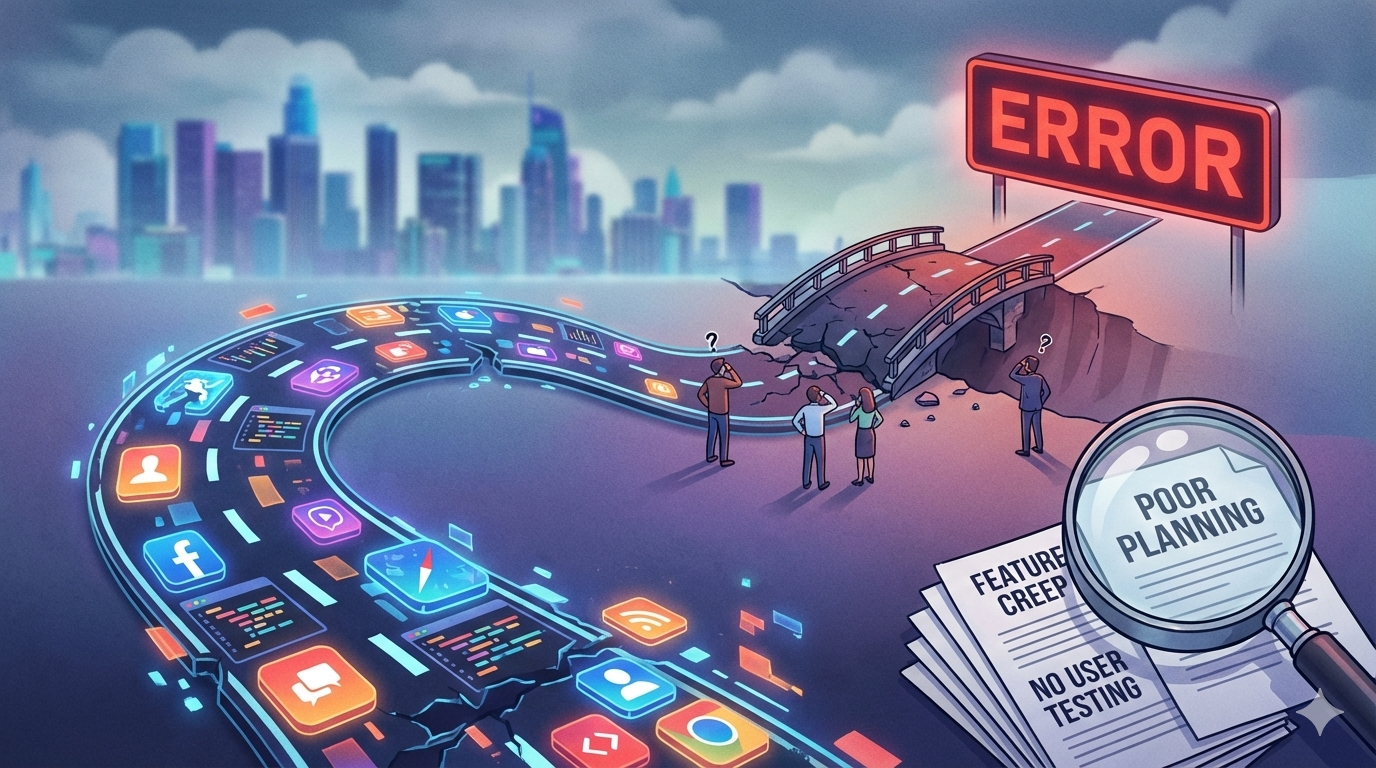
Common Mistakes Startups Make When Building Their First App

Launching your first mobile app is exciting—but it’s also where many startups make costly mistakes. From poor planning to wrong technology choices, early decisions can significantly impact timelines, budgets, and long-term scalability.

In our experience working with startups across industries, most failed or delayed apps don’t fail because of lack of ideas—but because of avoidable execution mistakes. Many startups underestimate the complexity of mobile app development and rush into execution without a clear plan.

Below are the most common mistakes startups make when building their first mobile app, and how you can avoid them.

1. Building Too Much, Too Early

One of the biggest mistakes startups make is trying to build a fully loaded app from day one. A well-defined MVP helps startups validate ideas before investing heavily in full-scale development.

Why this hurts:
  • Longer development timelines
  • Higher upfront costs
  • Delayed user feedback
  • Increased risk of building features users don’t want
What to do instead:

Focus on a true MVP (Minimum Viable Product)—only the core features needed to validate your idea.

A lean MVP allows you to:

  • Launch faster
  • Test real user behavior
  • Iterate based on feedback
  • Preserve capital

Planning an MVP?
Talk to our mobile app experts to define the right MVP scope and avoid feature bloat.

2. Choosing the Wrong Technology Stack

Many startups select technologies based on:

  • What’s “trending”
  • What’s cheaper upfront
  • What a freelancer prefers

Common mistakes:
How to choose correctly:

Your tech stack should depend on:

Choosing between native and cross-platform development without understanding trade-offs often leads to performance issues.

Not sure whether to go native or cross-platform?
Book a free architecture consultation with Nerdware Labs.

3. Ignoring UX & Product Strategy

A technically perfect app can still fail if users don’t understand how to use it.

Startups often underestimate:

  • UX research
  • User journeys
  • Onboarding experience
  • Accessibility and usability
Result:
  • Low retention
  • Poor reviews
  • High churn
  • Wasted marketing spend
What successful startups do:

They invest early in:

  • UX strategy
  • Clear user flows
  • Simple, intuitive interfaces
  • Continuous design improvements

Our team combines product strategy + UI/UX + engineering to build apps users actually stick with.
Let’s discuss your app idea

4. No Clear Budget or Timeline Planning

Many founders start development without:

  • Realistic timelines
  • Cost breakdowns
  • Buffer for iterations
  • Post-launch expenses

This leads to:

  • Missed deadlines
  • Budget overruns
  • Feature cuts mid-development
  • Stressful pivots

Many founders don’t account for how long it actually takes to design, build, test, and launch an app. This often leads to performance issues, poor scalability, or costly rewrites later.

What to plan for:
  • Design & discovery phase
  • Development & testing
  • App Store / Play Store approvals
  • Post-launch support & scaling

A transparent roadmap upfront saves months later.

Want a realistic app timeline & cost estimate?
Schedule a free consultation with our development team.

5. Treating App Development as a One-Time Project

Your app doesn’t stop after launch.

Startups often forget:

  • OS updates
  • Bug fixes
  • Performance optimization
  • Feature iterations based on user feedback

Apps that aren’t maintained quickly lose relevance.

Long-term success requires:
  • Ongoing monitoring
  • Analytics-driven improvements
  • Security updates
  • Scalability planning

We don’t just build apps—we support and scale them long-term.
Talk to us about ongoing app development.

How to Avoid These Mistakes Altogether

The easiest way to avoid these mistakes is to work with a team that:

  • Has built real production apps
  • Understands startup constraints
  • Thinks beyond just code
  • Acts as a long-term partner

At Nerdware Labs, we help startups:

  • Define MVPs correctly
  • Choose the right tech stack
  • Design user-focused experiences
  • Build scalable, production-ready apps

Ready to Build Your First App the Right Way?

If you’re planning your first mobile app—or struggling with an existing one—our team can help you move faster with confidence.

👉 Book a free consultation today and discuss your app idea with experienced mobile app developers.

Get Free Consultation

How Long Does It Take to Build a Mobile App? (2026 Guide)

How long it takes to build a mobile app in 2026?

“How long does it take to build a mobile app?” is one of the most common questions asked by startups, founders, and businesses planning a digital product.

The short answer is: it depends.

The long answer depends on app complexity, features, platforms, design requirements, and the development approach you choose.

The long answer depends on app complexity, features, platforms, design requirements, and the development approach you choose.

Average Mobile App Development Timeline

Here’s a realistic overview of how long mobile app development typically takes:

App TypeEstimated Timeline
Simple App / MVP6–10 weeks
Medium Complexity App3–5 months
Complex App6–9+ months
Enterprise-Level App9–12+ months

These timelines include planning, design, development, testing, and launch.

Key Factors That Affect Mobile App Development Time

App Complexity & Features

The number and complexity of features have the biggest impact on timelines.

Simple features:

  • User login
  • Static content
  • Basic forms
  • Limited screens

Advanced features:

  • Real-time chat
  • Payments & subscriptions
  • GPS & maps
  • Push notifications
  • Offline mode
  • Third-party integrations
  • Admin dashboards

The more logic, integrations, and real-time functionality involved, the longer development takes.

Not Sure How Complex Your App Is?

Most founders underestimate (or overestimate) app complexity.
We help startups and businesses break ideas into realistic scopes that save time and money.

👉 Talk to a Mobile App Expert

Platform Choice (iOS, Android, or Both)

Your platform strategy directly affects timelines.

  • Single platform (iOS or Android)
    Faster development, fewer edge cases.
  • Both platforms (Native iOS + Native Android)
    Requires separate codebases → longer timelines.
  • Cross-platform (Flutter / React Native)
    Faster than native for MVPs but may need additional optimization.

If you are building for both iOS and Android, expect timelines to increase by 30–50% compared to a single platform.

Design & User Experience (UI/UX)

Apps with custom UI, animations, and complex user flows take longer.

  • Simple UI based on system components → faster
  • Custom brand-heavy UI → more design & iteration time
  • Multiple user roles (admin, user, vendor) → added complexity

Good UI/UX design upfront actually reduces development time later by avoiding rework.

Backend & Infrastructure

If your app requires a backend, timelines increase.

Backend work includes:

  • APIs
  • Databases
  • Authentication
  • Notifications
  • Analytics
  • Admin panels
  • Cloud infrastructure

Apps with no backend (content-only apps) are much faster to build than data-driven platforms.

Team Experience & Process

An experienced mobile development team can cut weeks or months off timelines.

Factors that speed up delivery:

  • Clear requirements
  • Proven architecture
  • Senior engineers
  • Agile development process
  • Continuous testing

Inexperienced teams often underestimate timelines and run into delays later.

Mobile App Development Timeline: Step by Step

Discovery & Planning (1–2 Weeks)

This phase includes:

  • Requirements gathering
  • Feature prioritization
  • Platform decisions
  • Technical architecture
  • Roadmap creation

Skipping this step often leads to delays later.

UI/UX Design (2–4 Weeks)

Design work includes:

  • User flows
  • Wireframes
  • Visual design
  • Interactive prototypes

Complex products may need multiple design iterations.

Design work includes:

  • User flows
  • Wireframes
  • Visual design
  • Interactive prototypes

Complex products may need multiple design iterations.

Development Phase (6–20+ Weeks)

This is the longest phase and includes:

  • Frontend development
  • Backend development
  • API integrations
  • Business logic
  • Platform-specific work

Development time varies significantly based on scope.

Testing & Quality Assurance (2–4 Weeks)

Testing ensures:

  • App stability
  • Performance
  • Security
  • Compatibility across devices

Skipping QA leads to bugs, crashes, and app store rejections.

App Store Launch (1–2 Weeks)

Includes:

  • App Store & Play Store submission
  • Review process
  • Fixing rejections (if any)

Apple App Store reviews typically take longer than Google Play.

How Long Does It Take to Build an MVP App?

For startups, MVP timelines are especially important.

A well-scoped MVP usually takes:

  • 6–10 weeks using a focused feature set
  • Single platform or cross-platform approach
  • Minimal but functional design

The goal of an MVP is validation, not perfection.

Building an MVP?

We specialize in helping startups launch MVPs in 6–10 weeks using the right technology and feature prioritization.

👉 Discuss Your MVP Idea

Native vs Cross-Platform Timeline Comparison

ApproachTimelineBest For
Native (iOS + Android)LongerPerformance-critical apps
Cross-PlatformFasterMVPs & early-stage startups

Cross-platform development can reduce time-to-market, but native apps often perform better long-term.

Native or Cross-Platform? Get the Right Answer.

The wrong technology choice can add months to your timeline.
We help you choose the right stack based on performance, budget, and long-term goals.

👉 Get Technology Guidance

Can You Build a Mobile App Faster?

Yes—but with trade-offs.

Ways to reduce development time:

  • Start with an MVP
  • Limit features
  • Use cross-platform tech
  • Reuse existing backend systems
  • Work with an experienced team

Trying to rush complex apps often leads to technical debt and future delays.

Realistic Timeline Examples

Startup MVP
6–10 weeks

Business App with Payments & Backend
3–5 months

Complex Consumer App (Chat, Maps, Real-Time)
6–9 months

Enterprise Platform
9–12+ months

Want an Accurate Timeline for Your App?

Every app is different. Get a custom estimate based on your features, platform, and business goals — no guesswork.

👉 Request a Free Timeline & Cost EstimateZ

Final Thoughts

There is no one-size-fits-all answer to how long it takes to build a mobile app.

Your timeline depends on:

  • App complexity
  • Platforms
  • Features
  • Design requirements
  • Team expertise

The best way to get an accurate estimate is to define your scope clearly and work with a team that has built similar products before.

Planning a Mobile App?

If you’re planning to build a mobile app and want a realistic timeline, cost estimate, and technical roadmap, talk to an experienced mobile development team before writing a single line of code.

A short discovery phase can save you months of rework later.
👉 Get a Free App Consultation

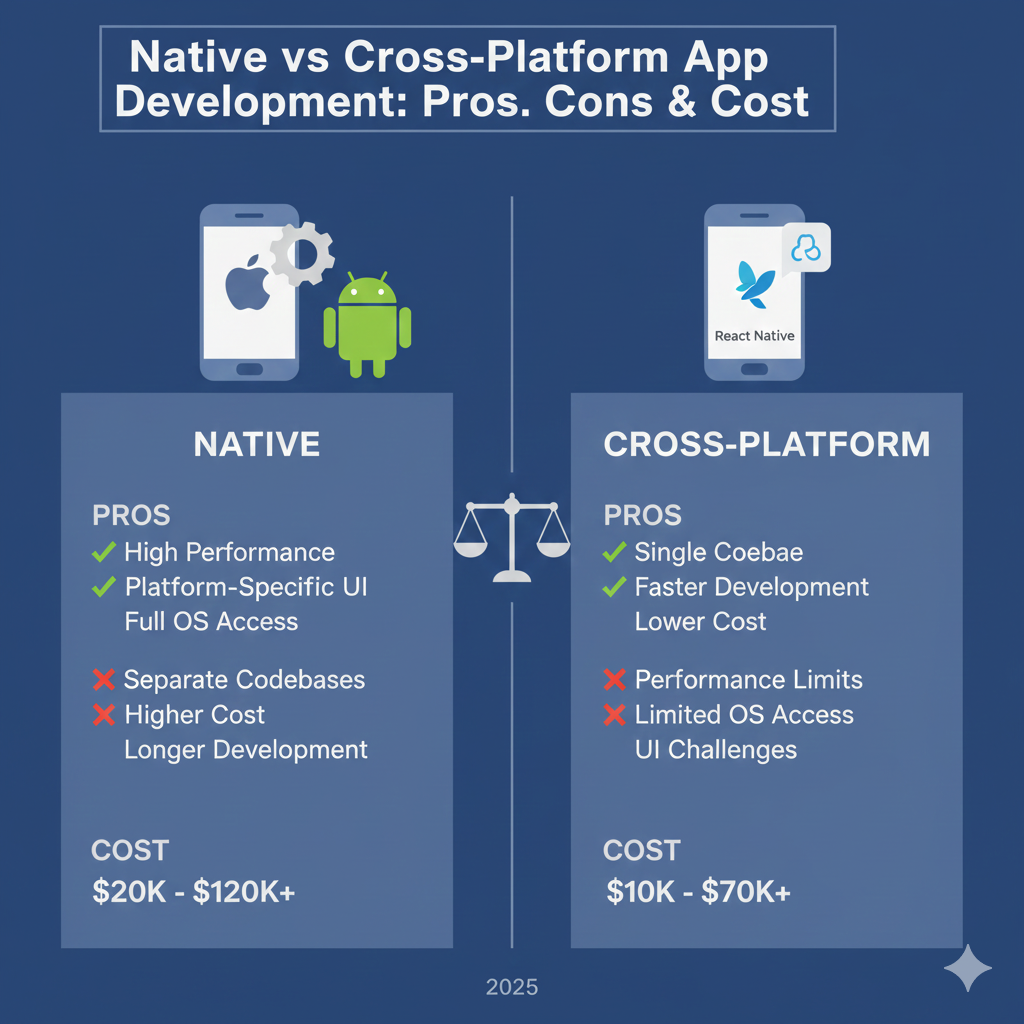
Native vs Cross-Platform App Development: Pros, Cons & Costs

In today’s digital economy, choosing the right mobile app development approach can determine whether your product becomes a market leader or an expensive failure. One of the most critical decisions businesses face is whether to build a Native app or a Cross-Platform app.

If you are planning to build a mobile product, our mobile app development services help startups and enterprises choose the right technology from day one.

This guide will help you understand the difference between Native and Cross-Platform app development, their pros and cons, development costs, and which approach is best for your business in 2025.

💡 Not sure which approach is right for your idea?
👉 Get a free consultation with our app experts

What Is Native App Development?

Native app development means building an application specifically for one operating system.

PlatformProgramming Language
iOSSwift, Objective-C
AndroidKotlin, Java

Native apps directly interact with the device’s operating system, hardware, and UI components.

If you are targeting premium performance or App Store rankings, our iOS app development and Android app development teams specialize in high-performance native builds.

🚀 Building a high-performance mobile app?
👉 Talk to our iOS & Android development team

What Is Cross-Platform App Development?

Cross-platform development allows developers to write one codebase that runs on multiple platforms like iOS and Android.

Popular cross-platform frameworks include:

  • Flutter
  • React Native
  • Xamarin
  • Ionic

This approach focuses on code reusability and faster development.
Our cross-platform app development services are ideal for startups that need to launch quickly with a limited budget.

⏱ Want to launch your app faster?
👉 Get a cross-platform MVP estimate

Native vs Cross-Platform: Key Differences

FeatureNative AppsCross-Platform Apps
PerformanceExcellentModerate To High
User ExperienceBestGood
Development TimeLongerFaster
CostHigherLowest
Hardware AccessFullLimited
App SizeSmallerLarger
UI ResponsivenessNative SmoothSlightly Slower
MaintenanceSeparate CodebasesSingle Codebase

📊 Want to know which option fits your budget and timeline?
👉 Request a free project estimate

Pros of Native App Development

1. Best Performance

Native apps are compiled directly into machine code, making them extremely fast and responsive.

2. Superior User Experience

They follow platform-specific design guidelines (Material Design for Android, Human Interface Guidelines for iOS).

3. Full Access to Device Features

You can access GPS, Bluetooth, camera, biometrics, and system APIs without limitations.

4. Higher App Store Ranking

Google Play and Apple App Store prefer fast, stable native apps, which improves your ASO and SEO ranking — one reason many enterprises choose native mobile app development.

Cons of Native App Development

  • Higher development cost
  • Two separate teams required (iOS + Android)
  • Longer time to market
  • More expensive maintenance

Pros of Cross-Platform App Development

1. Lower Development Cost

One codebase for two platforms reduces engineering expenses by up to 40–50%.

2. Faster Time to Market

Develop once, deploy everywhere.

3. Easier Maintenance

Fix a bug once and it works on both iOS and Android.

4. Ideal for MVPs & Startups

Cross-platform frameworks are perfect for validating ideas before investing in full native app development.

Cons of Cross-Platform Development

  • Slightly lower performance
  • UI may not feel fully native
  • Limited access to advanced APIs
  • Depends heavily on third-party frameworks

Cost Comparison: Native vs Cross-Platform Apps

App TypeNative CostCross Platform Cost
Simple App$15,000 – $30,000$8,000 – $18,000
Medium App$40,000 – $80,000$25,000 – $50,000
Complex App$100,000+$60,000 – $120,000

Native apps cost more because you must build and maintain two separate codebases — one for iOS and one for Android.

💰 Want an accurate cost for your app?
👉 Get a personalized cost breakdown

Which Is Better for SEO & User Retention?

If you want:

  • Better reviews
  • Faster loading
  • Lower crash rate
  • Higher App Store ranking

👉 Native apps win

If you want:

  • Lower budget
  • Faster launch
  • MVP or startup product

👉 Cross-platform wins

🎯 Still unsure which is right for your product?
👉 Speak to our app strategy team

FeatureNativeFlutterReact Native
PerformanceBestHighMedium
App SizeSmallLargeMedium
UI QualityBestGoodGood
Dev SpeedSlowFastFast
Best ForEnterprise appsMVPsSocial apps

Which Should You Choose in 2025?

Choose Native if:

  • You are building a fintech, health, or gaming app
  • You need top performance
  • You want long-term scalability

Choose Cross-Platform if:

  • You are building a startup MVP
  • You want to save money
  • You need quick market validation

If you are unsure, our mobile app development consultants can help you choose the right architecture based on your business goals.

Final Verdict

There is no universal winner.

  • Native apps are best for quality, performance, and long-term success.
  • Cross-platform apps are best for speed, cost, and MVPs.

Your choice should depend on:

  • Budget
  • Timeline
  • App complexity
  • Business goals

iOS vs Android Development: Which Is Better for Your App in 2026?

Choosing between iOS vs Android development is one of the most important decisions founders and businesses make when building a mobile app. The right platform impacts your development cost, time-to-market, monetization, and long-term scalability.

Quick Answer: iOS vs Android — Which Is Better?

There is no one-size-fits-all answer. The better platform depends on your target audience, budget, business goals, and growth strategy.

  • iOS development is ideal for premium users, faster MVPs, and higher monetization.
  • Android development works best for mass adoption and global reach.

Market Share & Audience Differences

Android Market Share

Android dominates global smartphone usage, especially in India, Southeast Asia, Africa, and South America. If your app targets large-scale adoption or emerging markets, Android is often the preferred platform.

iOS Market Share

While iOS has a smaller global market share, its users tend to spend more on apps and subscriptions. iOS performs particularly well in the US, Canada, Europe, and Australia.

Development Cost Comparison

iOS App Development Cost

iOS apps are typically faster to build due to fewer device variations and a controlled ecosystem. This often results in lower MVP costs and quicker launches.

Android App Development Cost

Android development involves supporting many devices, screen sizes, and OS versions. While initial development can be affordable, testing and maintenance costs may increase over time.

At Nerdware Labs, most startup MVPs we build typically fall between $10,000 and $40,000, depending on scope, features, and platform. If you want a deeper breakdown of pricing, timelines, and hidden costs, read our detailed guide on how much it costs to build a mobile app .

Development Speed & Time to Market

iOS Development Speed

Swift and SwiftUI allow faster iteration, cleaner architecture, and predictable testing. This makes iOS ideal for startups racing to launch an MVP.

Android Development Speed

Kotlin and Jetpack Compose are powerful, but Android apps require more QA due to device fragmentation. This can extend timelines slightly.

UI/UX & Design Consistency

Apple’s Human Interface Guidelines create consistent user experiences across iOS devices, making it easier to deliver polished UX. Android offers more design freedom but introduces additional complexity.

App Store Approval & Distribution

Apple App Store

Apple enforces stricter review guidelines, resulting in higher-quality apps and stronger user trust.

Google Play Store

Google Play approvals are faster and more flexible, making Android suitable for rapid experimentation and iteration.

Monetization & Revenue Potential

iOS users are more willing to pay for apps and subscriptions, while Android apps often perform better with ad-based monetization and large install volumes.

Security & Performance

iOS benefits from a closed ecosystem and faster OS adoption, making it a strong choice for fintech, healthcare, and enterprise apps. Android security has improved significantly but still varies by device manufacturer.

Should You Build Cross-Platform?

Cross-platform frameworks can reduce time and cost, but native development often delivers better performance and long-term scalability. Many startups begin with one platform before expanding.

Final Verdict: Which Platform Should You Choose?

  • Choose iOS for faster MVPs, premium users, and subscriptions.
  • Choose Android for global reach and mass adoption.
  • Choose both when your product is validated and ready to scale.

Need expert guidance on choosing the right platform? Our mobile app development team helps startups make the right technical decisions from day one.

Hire Remote Developers in India: A Practical Guide for Startups & Businesses

Hiring remote developers in India has become a strategic advantage for startups and businesses worldwide. From cost efficiency to deep technical expertise, Indian development teams power thousands of successful products globally. This guide explains how to hire remote developers in India, what it costs, and how to avoid common mistakes.

Why Companies Hire Remote Developers in India

India has emerged as one of the world’s largest and most reliable software development hubs. Companies across the US, Europe, and Australia hire Indian developers to build scalable, production-grade software.

  • Large pool of skilled engineers
  • Cost-effective development
  • Strong English communication
  • Experience with global startups
  • Time zone flexibility

What Types of Developers Can You Hire in India?

Indian development teams cover a wide range of technical expertise, including:

  • Mobile app developers (iOS & Android)
  • Web developers (Frontend & Backend)
  • Full-stack developers
  • DevOps & cloud engineers
  • UI/UX designers
  • QA & automation engineers

Cost of Hiring Remote Developers in India

One of the biggest reasons companies hire remote developers in India is cost efficiency. However, overall development cost depends on more than just hourly rates — including app complexity, project scope, and long-term maintenance. If you’re evaluating total investment, you may also find our detailed breakdown helpful in this guide on how much it costs to build a mobile app .

  • Junior developers: $15 – $25/hour
  • Mid-level developers: $25 – $40/hour
  • Senior developers: $40 – $60/hour

At Nerdware Labs, most startups work with us in a monthly or project-based model to ensure predictable costs, clear ownership, and long-term stability.

Learn more about our remote developer hiring model and how we ensure quality, ownership, and long-term success.

Popular Engagement Models

Dedicated Remote Developers

Ideal for startups and growing teams that need long-term support. You get a dedicated engineer working exclusively on your product.

Project-Based Development

Best for fixed-scope projects such as MVP development, feature builds, or system rewrites.

Team Augmentation

Extend your in-house team with Indian developers who integrate into your workflows and tools.

How to Hire Remote Developers in India (Step-by-Step)

  1. Define your requirements clearly
  2. Decide the engagement model
  3. Evaluate technical expertise
  4. Assess communication skills
  5. Start with a pilot or MVP

Hiring is not just about resumes — it’s about finding developers who understand product thinking and long-term ownership.

Common Mistakes to Avoid

  • Choosing the cheapest option
  • No clear documentation or scope
  • Poor onboarding process
  • Lack of ownership and accountability
  • Ignoring time-zone planning

Why Startups Prefer Indian Remote Teams

Startups operate under tight budgets and timelines. Hiring remote developers in India allows founders to move faster without compromising on quality.

Many successful startups begin with an Indian development team and scale globally once product-market fit is achieved.

Why Choose Nerdware Labs?

At Nerdware Labs, we help startups and businesses hire reliable remote developers in India without the usual offshore risks.

  • 14+ years of engineering experience
  • Strong product-first mindset
  • Clear communication & ownership
  • Production-grade code
  • Long-term partnership approach

Final Thoughts

Hiring remote developers in India can be a game-changer — if done correctly. With the right team, process, and partner, you gain speed, flexibility, and cost advantages without sacrificing quality.

If you’re planning to validate your startup idea quickly, explore our startup MVP development services to see how we help founders launch faster with less risk.

Mobile App Development Cost 2026 – Complete Pricing Breakdown

Mobile App DevelopmentCost 2026

Building a mobile app is one of the most common steps startups and businesses take to scale digitally. But one question always comes first: How much does it cost to build a mobile app?

The short answer is: it depends. The real answer depends on what you build, how you build it, and who builds it. In this guide, we break down mobile app development costs in 2026 and help you estimate a realistic budget—whether you’re building an MVP, a full-scale product, or a business application.

Average Cost to Build a Mobile App

Here’s a realistic cost breakdown based on real-world projects:

AppTypeEstimated Cost
Simple App (Basic Features)$15,000 – $30,000
MVP for startups$25,000 – $60,000
Medium Complexity App$50,000 – $120,000
Complex Scalable App$120,000 – $300,000+

At Nerdware Labs, most startup MVPs we build typically fall between $10,000 and $40,000, depending on features, platform (iOS, Android, or both), and overall product complexity.

If you’re looking for a reliable partner, check our mobile app development services to see how we build scalable iOS and Android apps for startups.

Key Factors That Affect Mobile App Development Cost

1. App Complexity & Features

App complexity is the single biggest cost driver. Basic apps with static content and simple forms cost significantly less than apps with real-time features, payments, or AI capabilities.

2. Platform Choice: iOS, Android, or Both

You can build for iOS, Android, or both. Single-platform apps are cheaper, while dual-platform native apps cost more. Cross-platform development can reduce upfront costs while maintaining quality.

3. UI/UX Design Quality

Design directly impacts user retention and conversion. High-quality UI/UX design ensures your app is intuitive, usable, and aligned with business goals.

4. Backend & Infrastructure

Apps that require APIs, user authentication, databases, or admin dashboards need backend development, which significantly affects overall cost.

5. Development Team Location

Development costs vary widely depending on geography. Many startups and businesses choose experienced remote teams to balance quality and affordability—especially when working with offshore or distributed engineering teams. If you’re exploring this option, our detailed guide on hiring remote developers in India explains costs, engagement models, and how to build reliable remote teams without offshore risks.

Cost Breakdown by Development Phase

  • Discovery & planning: 5–10%
  • UI/UX design: 15–25%
  • Development: 45–60%
  • Testing & QA: 10–15%
  • Deployment & support: 5–10%

Skipping any phase often leads to higher long-term costs due to rework and technical debt.

Hidden Costs You Should Plan For

Many businesses overlook these recurring costs:

  • App store fees
  • Cloud hosting & infrastructure
  • Third-party APIs
  • Maintenance & OS updates
  • Security patches

On average, annual maintenance costs are around 15–25% of the initial development cost.

How to Reduce Mobile App Development Cost

  1. Start with a focused MVP
  2. Prioritize core features
  3. Choose scalable architecture early
  4. Work with an experienced development partner

Why Businesses Choose Nerdware Labs

With over 14 years of experience, Nerdware Labs builds production-grade mobile apps using clean architecture and scalable systems. We’ve also built and scaled our own product, giving us real-world insight beyond client work.

  • Production-grade iOS & Android apps
  • Clean, scalable architecture
  • Clear communication & ownership
  • Startup-friendly MVP approach